Choosing the best IPTV player UK viewers can rely on comes down to one thing: the device you watch on. The right app for a Firestick is not the same as the right app for a Samsung TV or an iPhone, so this guide compares the top players and shows which one suits you.
We look at five of the most popular apps, how they differ, and who each one is for, so you can set up smooth streaming without the guesswork.
In short: The best IPTV player UK choice depends on your device. TiviMate leads on Android TV and Firestick, Smarters Player Lite and GSE Smart IPTV suit phones and tablets, and IBO Player and Hot IPTV Player are built for Samsung and LG Smart TVs. All are players only, so you need your own subscription.
Key Takeaways
- The best player for you depends on your device more than anything else.
- TiviMate is the top pick for Android TV and Firestick.
- Smarters Player Lite and GSE Smart IPTV are strong on iPhone, iPad and Android.
- IBO Player and Hot IPTV Player are made for Samsung and LG Smart TVs.
- Every player needs its own IPTV subscription, as none include channels.
Table of Contents
- What Makes the Best IPTV Player UK?
- Quick Comparison
- The Best IPTV Players Reviewed
- How to Choose for Your Device
- What You Need Before You Start
- Frequently Asked Questions
What Makes the Best IPTV Player UK?
A few things separate a great player from an average one. When weighing up the best IPTV player UK options, look for:
- Device support: it must run well on the screen you actually use.
- Playlist formats: M3U and Xtream Codes cover almost every service.
- A proper TV guide (EPG): so you can see what is on now and next.
- Smooth playback: fast channel switching and a stable picture.
- Easy setup: a clear way to add your playlist without hassle.
Best IPTV Player UK: Quick Comparison
| Player | Best for | Playlists |
|---|---|---|
| TiviMate | Android TV, Firestick | M3U, Xtream Codes |
| Smarters Player Lite | Phones, tablets | M3U, JSON |
| GSE Smart IPTV | iPhone, iPad | M3U, Xtream Codes |
| IBO Player | Samsung, LG TVs | M3U, Xtream Codes |
| Hot IPTV Player | Samsung, LG TVs | M3U, Xtream Codes |
The Best IPTV Players Reviewed
TiviMate — Best for Android TV and Firestick
TiviMate is widely regarded as the top player for Android TV and the Amazon Firestick, thanks to its clean interface and excellent TV guide. A free version covers the basics, while a premium tier adds recording and multiple playlists. See our full TiviMate guide for setup and pricing.
Smarters Player Lite — Best for Simple Setup
Smarters Player Lite is a straightforward choice for phones and tablets, with quick M3U setup and a tidy layout. It is free with an optional upgrade. Our Smarters Player Lite guide walks through the whole process.
GSE Smart IPTV — Best for iPhone and iPad
GSE Smart IPTV is a long-standing favourite on iOS, with M3U and Xtream Codes support, a built-in player, recording and casting. There is a free version and a Pro upgrade. It suits users who want more control on an iPhone or iPad. See our full GSE Smart IPTV guide for the complete walkthrough.
IBO Player — Best for Samsung and LG Smart TVs
IBO Player is built for Samsung and LG televisions, where other apps are hard to install. You activate it with a device key on a website, then add your playlist there. Read our IBO Player guide for the full walkthrough.
Hot IPTV Player — Another Smart TV Option
Hot IPTV Player works much like IBO Player, using device-key activation on Samsung and LG sets. It is a solid alternative if your TV does not offer IBO Player. Our Hot IPTV Player guide covers setup and activation.
How to Choose the Best IPTV Player UK for Your Device
- Firestick or Android TV: start with TiviMate.
- iPhone or iPad: GSE Smart IPTV or Smarters Player Lite.
- Android phone or tablet: Smarters Player Lite or TiviMate.
- Samsung or LG Smart TV: IBO Player or Hot IPTV Player.
- No compatible app on your TV: add a Firestick and use TiviMate. Our IPTV on Firestick UK guide shows how.
What You Need Before You Start
Whichever player you choose, the essentials are the same. You will need an active subscription and a steady connection.
- An IPTV subscription, or an IPTV free trial to test first.
- Your M3U link or Xtream Codes details.
- A stable connection; check your line with Ofcom’s broadband guidance.
- A compatible device for the player you pick.
Free vs Paid IPTV Players
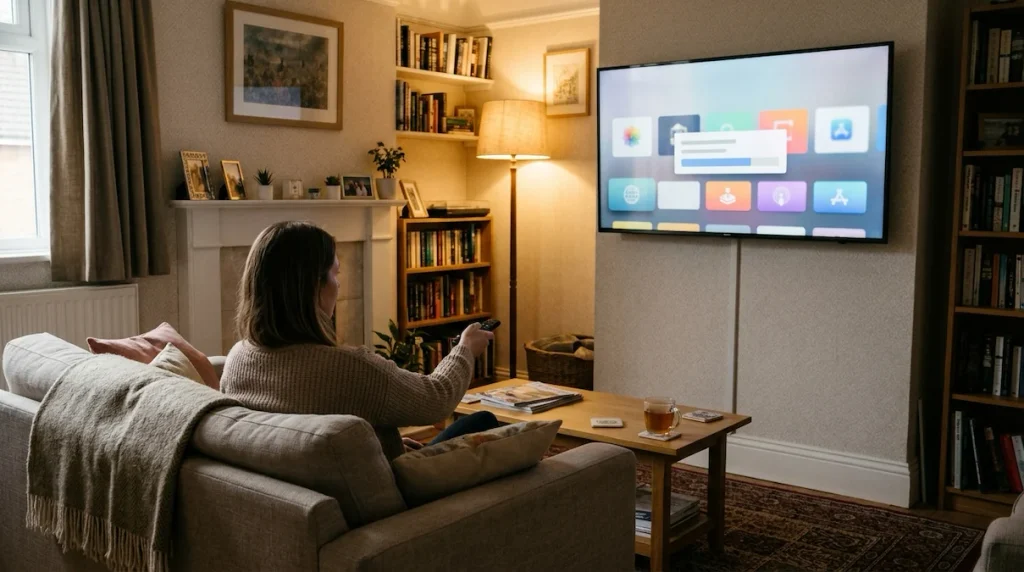
Most players come in a free version, with an optional paid upgrade. A free app is usually enough for casual viewing, while paid tiers add features such as recording, multiple playlists and the removal of adverts. The pricing model varies from app to app:
- Free: ideal for trying a service and watching basic live TV.
- One-time fee: common on Smart TV players, unlocking the app permanently on that device.
- Yearly fee: used by premium tiers that add power-user features like recording and catch-up.
Whichever model you pick, the fee covers the app only. Your channels always come from a separate subscription, so budget for both when you compare your options.
Tips for Getting the Best from Your Player
- Add an EPG (TV guide) link so you can see what is on now and next.
- Use a wired connection or strong 5 GHz Wi-Fi for 4K and live sport.
- Keep the app and your device updated for the smoothest performance.
- Name each playlist clearly if you manage more than one service.
- Test a service with a free trial before committing to a long plan.
These small habits make a bigger difference to picture quality and reliability than the choice of app alone, so they are worth setting up from the start.
For a deep dive into one of the most popular choices, see our full IPTV Smarters Pro guide, and if you watch on a Samsung TV, our IPTV on Samsung Smart TV guide covers the apps that work best.
Want a powerful alternative with lots of customisation options? Our OTT Navigator guide explains its features and setup step by step.
Watching on a Roku device? Our IPTV on Roku setup guide covers the players that work best on it.
If you are new to IPTV, start with our IPTV UK beginner’s guide before you pick a player.
Related guide: a good player needs a good service. See our guide on choosing a top IPTV provider in the UK.
Want to try it yourself? StreamoPro offers a free 24-hour trial, so you can test the channels and picture quality on your own TV before you pay anything. Get your free 24h trial on WhatsApp.
Frequently Asked Questions
What is the best IPTV player UK for Firestick?
TiviMate is the most popular choice for the Amazon Firestick, with a clean interface and the best TV guide. Smarters Player Lite is a simpler alternative.
Is there a best IPTV player UK for iPhone?
On iPhone and iPad, GSE Smart IPTV and Smarters Player Lite are the strongest options, both supporting M3U playlists and an electronic programme guide.
Which player is best for a Samsung or LG TV?
IBO Player and Hot IPTV Player are designed for Samsung and LG sets. Both use a device-key activation on a website rather than typing details with the remote.
Are these IPTV players free?
Several have free versions, while some charge a small one-time or yearly fee. Either way, each player is just the app, so you still need your own subscription.
Do IPTV players include channels?
No. Every player here is a standalone app that plays a playlist you provide. You add your own M3U or Xtream Codes details from a provider.
Conclusion
There is no single winner, because the best IPTV player UK choice always depends on your device. Pick TiviMate for a Firestick, GSE Smart IPTV or Smarters Player Lite for a phone, and IBO Player or Hot IPTV Player for a Samsung or LG TV. Whichever you choose, pair it with a reliable subscription and you are ready to stream.
Leave a Reply