In short: an IPTV free trial lets you test a service before you pay, but it only helps if you test the right things. Watch at peak time, try every device, check the streaming quality, and read the subscription terms before you hand over any card details. This guide gives you a simple plan to judge an IPTV free trial UK 2027 offer the right way.
Key Takeaways
- An IPTV free trial UK 2027 is only useful if you test the right things, not just whether the screen turns on.
- Test streaming quality at peak time, usually between 7pm and 10pm.
- Try every device you own, including the TV, phone and streaming stick.
- Read the cancellation, refund and renewal terms before handing over card details.
- Be wary of any IPTV free trial that demands payment details upfront or gives no clear company information.
Introduction
Signing up for an IPTV free trial sounds simple, but most people waste it. They open the app, flick through a few channels, and decide within five minutes. Then the problems appear a week after paying.
A proper IPTV free trial is a short, structured test. This guide shows you what to check, when to check it and which warning signs should make you walk away. By the end, you will know exactly how to judge an IPTV subscription UK offer before it costs you anything.
What an IPTV Free Trial UK 2027 Actually Includes
An IPTV free trial UK providers offer usually lasts between 12 hours and 3 days. Some give full access to the channel list. Others limit you to a handful of channels or lower resolution.
Before you begin, find out what is included. A trial that hides the features you care about tells you nothing about the paid service.
Ask these questions first:
- How long does the trial last, and when does the clock start?
- Is the full channel list and video-on-demand library available?
- Is 4K or HD included, or only standard quality?
- Do I need a card, and will it charge automatically afterwards?
Write the answers down. If the provider will not answer clearly, that is useful information too.
If you would like to see how a provider presents its packages and terms, you can see our plans and compare them with the checklist above.
Check the Provider Before You Start

Before you test the picture, test the company. This step takes ten minutes and saves the most trouble. The best IPTV free trial in the world means nothing if the provider behind it is not trustworthy.
Look for a registered business name, a working support email and clear terms of service. A real provider can explain how it licenses its content. If every channel is offered for a few pounds a month with no explanation, be careful.
Remember that streaming copyrighted channels without a licence is illegal in the UK, and unlicensed services can disappear overnight. The government-backed Citizens Advice site has practical guidance on spotting scams and protecting your money, and Ofcom publishes information about legitimate broadcasting in the UK.
Also search the company name along with the word “reviews”. Look for complaints about billing, not just buffering.
How to Test IPTV Streaming Quality
IPTV streaming quality depends on three things: the provider’s servers, your broadband and your device. A good IPTV free trial should test all three.
Do not judge quality at 2pm on a Tuesday. Test during the evening, when thousands of viewers are online. That is when weak services struggle.
Use this checklist while watching:
- Live sport: Fast motion exposes poor compression and stuttering.
- A news channel: Check for audio sync and sharp text on screen.
- Several channels in a row: Switching speed matters more than people expect.
- Video on demand: Pause, rewind and skip to check it behaves.
- A film or drama in HD or 4K: Look at dark scenes for blocky patches.
Watch for buffering, freezing and audio drift. A single freeze in a 30-minute test is a warning. Several freezes mean you should keep looking.
Your own connection matters too. As a guide, allow roughly 10 Mbps for HD and 25 Mbps for 4K per stream. Run a speed test before blaming the provider, because a weak Wi-Fi signal can ruin even the best IPTV free trial.
Device Compatibility: Test Every Screen
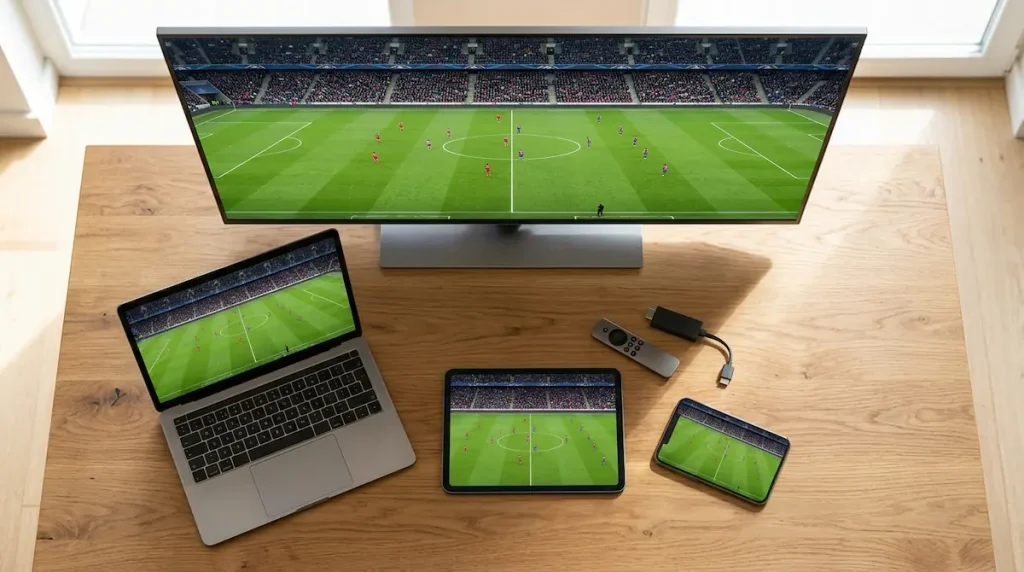
Many people only test on the main TV. Then the app does not work on the bedroom TV or the family tablet.
During your IPTV free trial, try each device you plan to use. That usually includes:
- Your main smart TV
- A streaming stick or box
- A smartphone or tablet
- A laptop, if you watch there
Check how each one handles the app. Is the guide easy to read? Does the remote work properly? Does the picture quality match what you saw on the first device?
Also ask how many connections are allowed at once. If two people watch different channels at the same time, one stream may be blocked.
Subscription Terms to Read Before You Pay
The trial is free, but the paid plan is not. Read the terms before you pay for an IPTV subscription UK service.
Here is what to check and why it matters:
| What to check | Why it matters |
|---|---|
| Contract length | Monthly rolling plans are safer than long upfront deals |
| Refund policy | Tells you what happens if quality drops after payment |
| Auto-renewal | Avoids surprise charges after the first period |
| Number of connections | Decides whether the whole household can watch |
| Support hours | You want help during evenings and weekends |
| Payment methods | Traceable methods give you more protection |
Pay particular attention to how you can cancel. If the process is hidden or requires a long email chain, treat that as a red flag.
Never pay long-term upfront until you have used the service for a full month. A shorter plan costs a little more but protects you.
A Simple 24-Hour Plan for Your IPTV Free Trial UK 2027
Short trials need a plan. Follow this order to get the most from your IPTV free trial and cover everything.
- Start in the evening. This lets you test peak-time performance first.
- Watch live sport for 30 minutes. Note any buffering or freezing.
- Switch through ten channels. Time how quickly they load.
- Try on a second device. Compare picture and ease of use.
- Test on-demand content. Pause, skip and resume.
- Check the support. Send a simple question and see how fast they reply.
- Try again the next day. Compare daytime and evening performance.
Keep notes on a phone or notepad. If you are testing two or three providers, notes make the comparison fair and help you remember which IPTV free trial actually performed best.
Red Flags to Watch For
Some warning signs show up quickly. If you spot any of these during an IPTV free trial, think twice:
- The trial asks for full card details with no clear cancellation route
- There is no company name, address or support email
- The price looks far too low for the number of channels offered
- The provider only accepts untraceable payment methods
- Reviews are all five stars and read as if one person wrote them
- Support disappears the moment you ask a technical question
A trustworthy provider welcomes questions. A poor one avoids them.
After your trial: compare plan lengths and prices in our IPTV subscription UK guide.
Want to try it yourself? StreamoPro offers a free 24-hour trial, so you can test the channels and picture quality on your own TV before you pay anything. Get your free 24h trial on WhatsApp.
IPTV Free Trial FAQ
Is there a free IPTV trial UK viewers can use without a card?
Some providers offer an IPTV free trial with no card, while others ask for one. Always check whether it renews automatically before you sign up.
How long should an IPTV free trial last?
Between 24 and 72 hours is ideal. That is long enough to test peak and off-peak performance properly.
What should I test during an IPTV free trial?
Check live sport, channel switching, on-demand content, device compatibility and support response times.
Is IPTV legal in the UK?
IPTV as a technology is legal. Services that stream copyrighted content without permission are not, so check the provider’s licensing.
Why does my IPTV trial buffer in the evening?
It could be your broadband, Wi-Fi or the provider’s servers. Try a wired connection and run a speed test to find out.
Can I cancel before the trial ends?
Usually yes, but confirm it in writing. Cancel before the end if you used a card to start the trial.
Conclusion
A good IPTV free trial gives you facts, not guesses. Test at peak time, try every device, read the terms and check the provider properly. That is how you judge IPTV streaming quality and avoid paying for something you will regret.
Use the 24-hour plan above before you commit to any IPTV subscription UK offer. Take notes, compare honestly and only pay when the service has earned it.
Related reading
Leave a Reply